Hack the Box - Luke
Created by H4d3s
Background Info
"Luke" is a vulnerable virtual machine hosted on Hack the Box.
10.10.10.137
Visiting the landing page, http://10.10.10.137, showed a basic configuration of a website. Clicking the links would direct to different parts of the site.
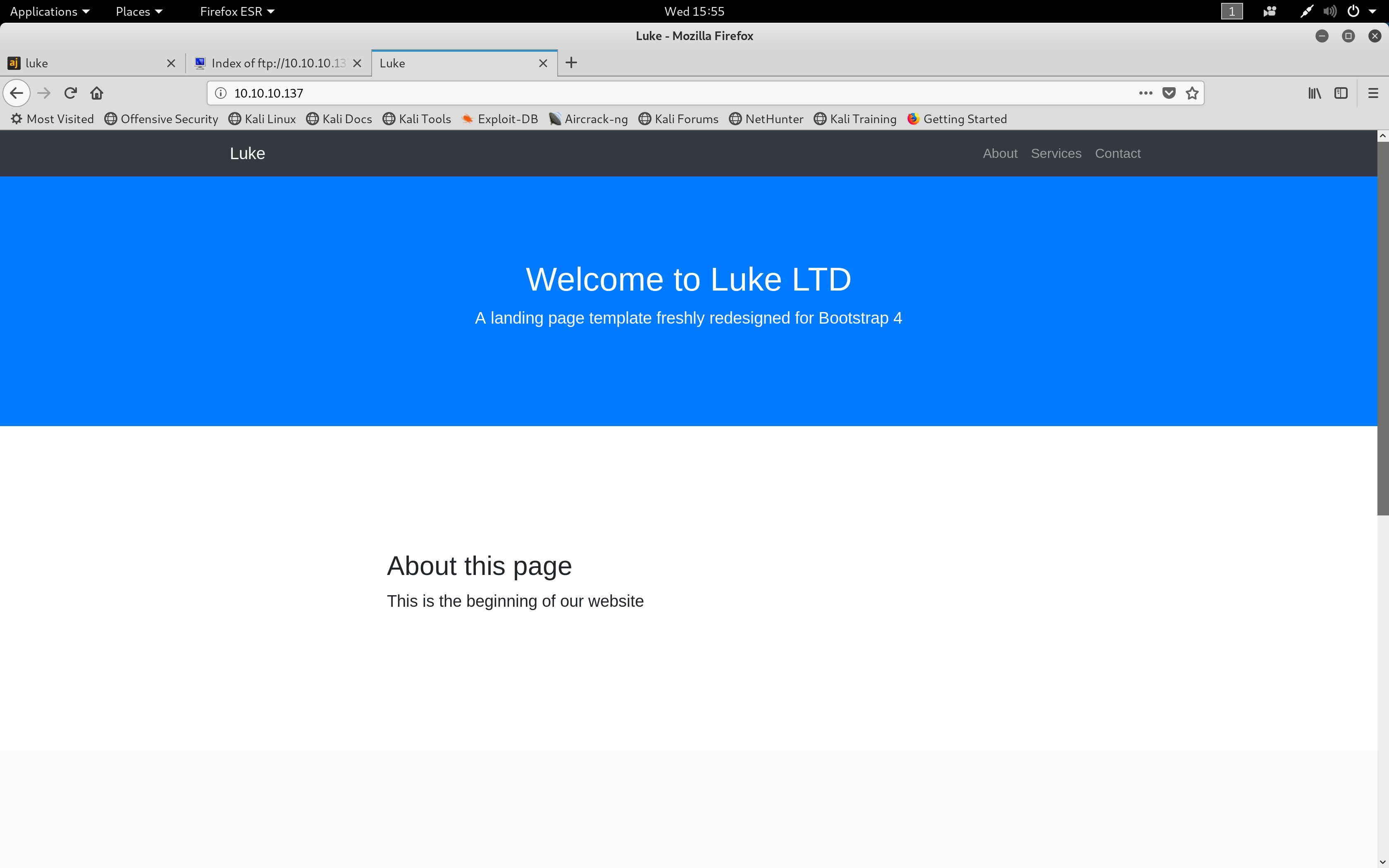 Landing Page
01. nmap
My first step was to run an nmap scan to find open ports on the site.
The -sV flag will probe open ports to determine service and version, -vv will increase the verbosity level (causing Nmap to print more information about the scan) and -O will attempt to enumerate the operating system.
21/tcp open ftp syn-ack ttl 63 vsftpd 3.0.3+ (ext.1)
22/tcp open ssh? syn-ack ttl 63
80/tcp open http syn-ack ttl 63 Apache httpd 2.4.38 ((FreeBSD) PHP/7.3.3)
3000/tcp open http syn-ack ttl 63 Node.js Express framework
8000/tcp open http syn-ack ttl 63 Ajenti http control panel
Open ports
- • Port 21 - FTP server
- • Port 22 - SSH server
- • Port 80 - Web server
- • Port 3000 - Node.js express framework
- • Port 8000 - Ajenti server admin panel
02. DirBuster
I then used the (DirBuster) tool to scan the root URI using a dictionary provided on Kali under the directory /usr/share/wordlists/dirbuster/directory-list-1.0.txt.
DirBuster is a multi-threaded java application designed to brute force directories and files on web/application servers.
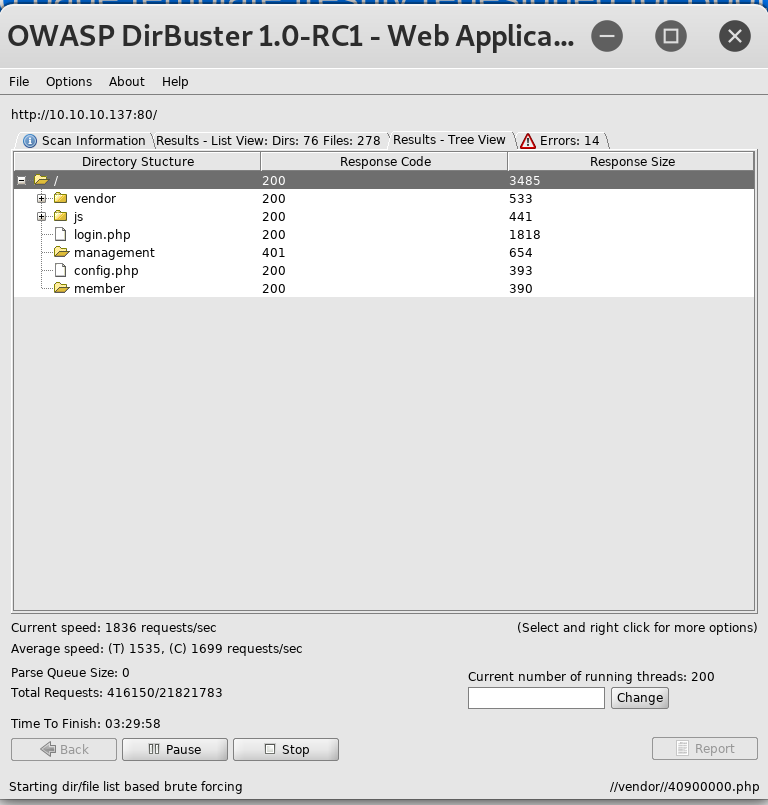 DirBuster Results
Directories/Files of Interest
| Path | Type | Contents |
|---|---|---|
| /member/ | Directory | No contents |
| /management/ | Directory | Basic authentication protected |
| config.php | File | Database configuration including a username and password |
| login.php | File | Basic login page |
The config.php file was hosting configuration information for the login database, the username root and the password as Zk6heYCyv6ZE9Xcg
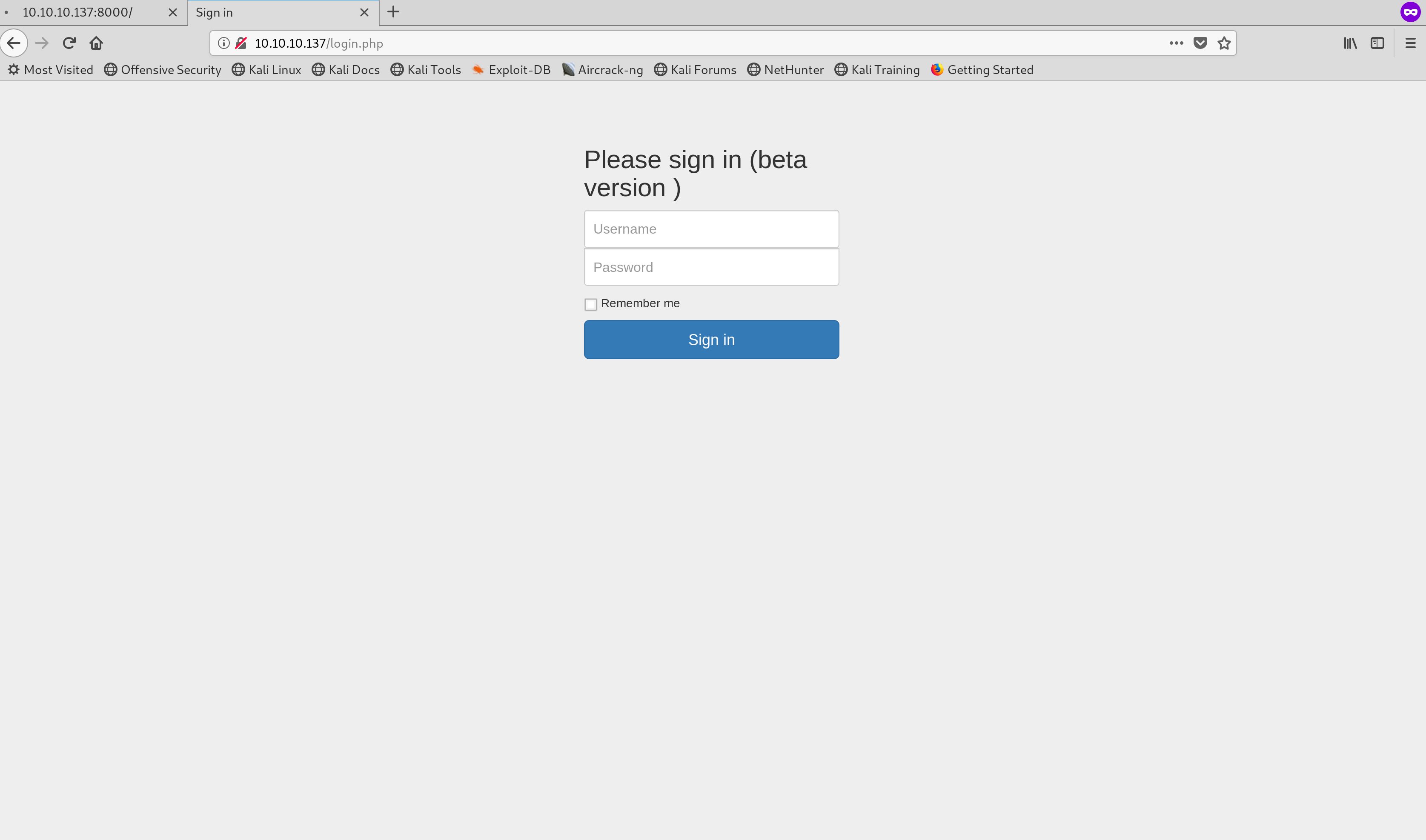 Login page found at '/login.php'
03. Port 3000
This port was being used to host Node.js express which is a web application framework that provides a robust set of features for web and mobile applications.
This framework can be linked with databases (Express database integration) which may suggest further sensitive information may be found on this port. Visiting the port in the browser displayed the error message No auth token is provided
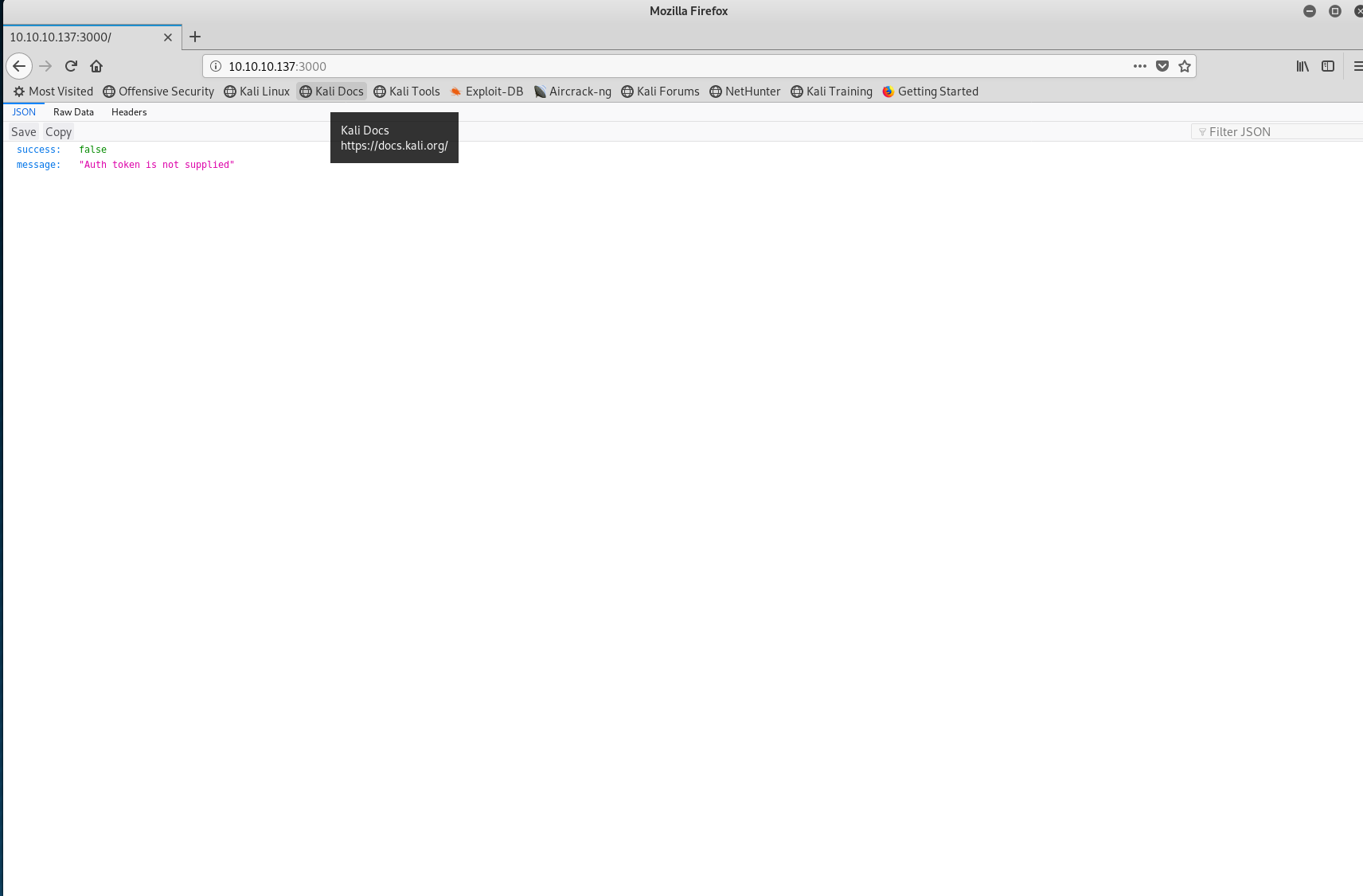 Port 3000 landing
I ran another DirBuster scan on port 3000 which returned the following directories:
- •
http://10.10.10.137:3000/users/admin/ - •
http://10.10.10.137:3000/users/ - •
http://10.10.10.137:3000/login
When visiting these pages, they were all inaccessible and required an auth token. I researched JSON tokens to understand how to generate an authentication token using cURL. I managed to find an example of the command in the article 5 Easy Steps to Understanding JSON Web Tokens (JWT).
The command above used the database username and password to return an authentication token which I could then provide to port 3000.
04. Postman
After obtaining the authentication token, I used Postman to send requests to the database server. I first hit the /users/ endpoint which returned a list of users alongside their ID and role.
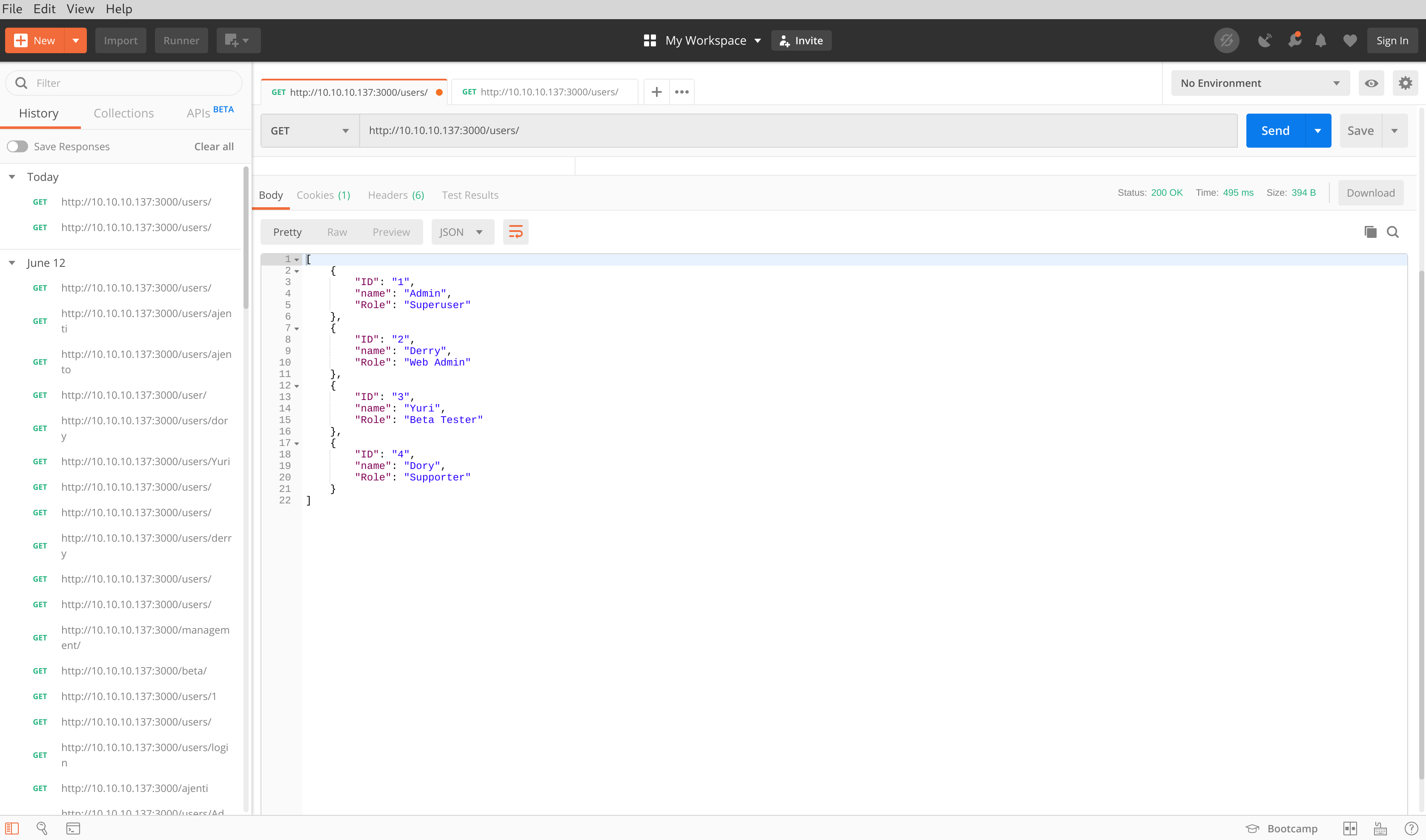 Postman results for '/users/'
I then targeted the /users/admin/ endpoint which returned the password for the account admin.
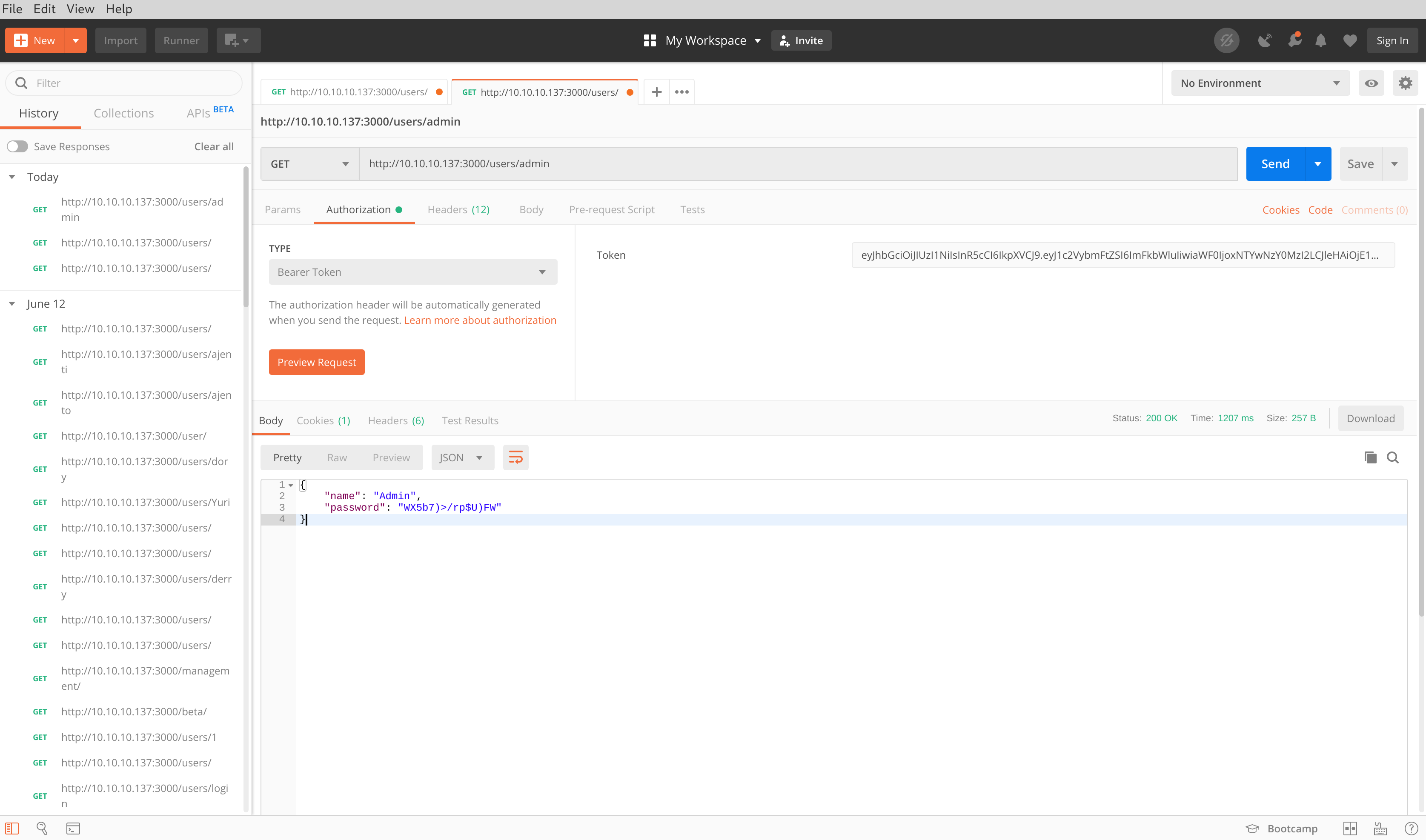 Postman results for '/users/admin/'
I used the /users/ endpoint to obtain all passwords for each account.
| Username | Password |
|---|---|
| Admin | WX5b7)>/rp$U)FW |
| Derry | rZ86wwLvx7jUxtch |
| Yuri | bet@tester87 |
| Dory | 5y:!xa=ybfe)/QD |
05. Login
I then attempted to login to different areas of the site using the credentials obtained in the previous step. I first targeted the Ajenti service as it contained the web server dashboard. All the initial credentials failed, even using password variations was also unsuccessful. Next, I attempted to login to http://10.10.10.137/login.php which was also unsuccessful.
After reviewing the nmap results from earlier, I attempted to access the server through SSH over port 22. The credentials obtained were also unsuccessful here.
After looking back at the DirBuster results, I remembered the directory http://10.10.10.137/management/ was protected by basic authentication. I managed to login using Derry and rZ86wwLvx7jUxtch which gave me the directory listing.
A file called config.json was mentioned in the listing the contents of which contained the password for port 8000 (Ajenti). The file also contained commands on how to get shell access.
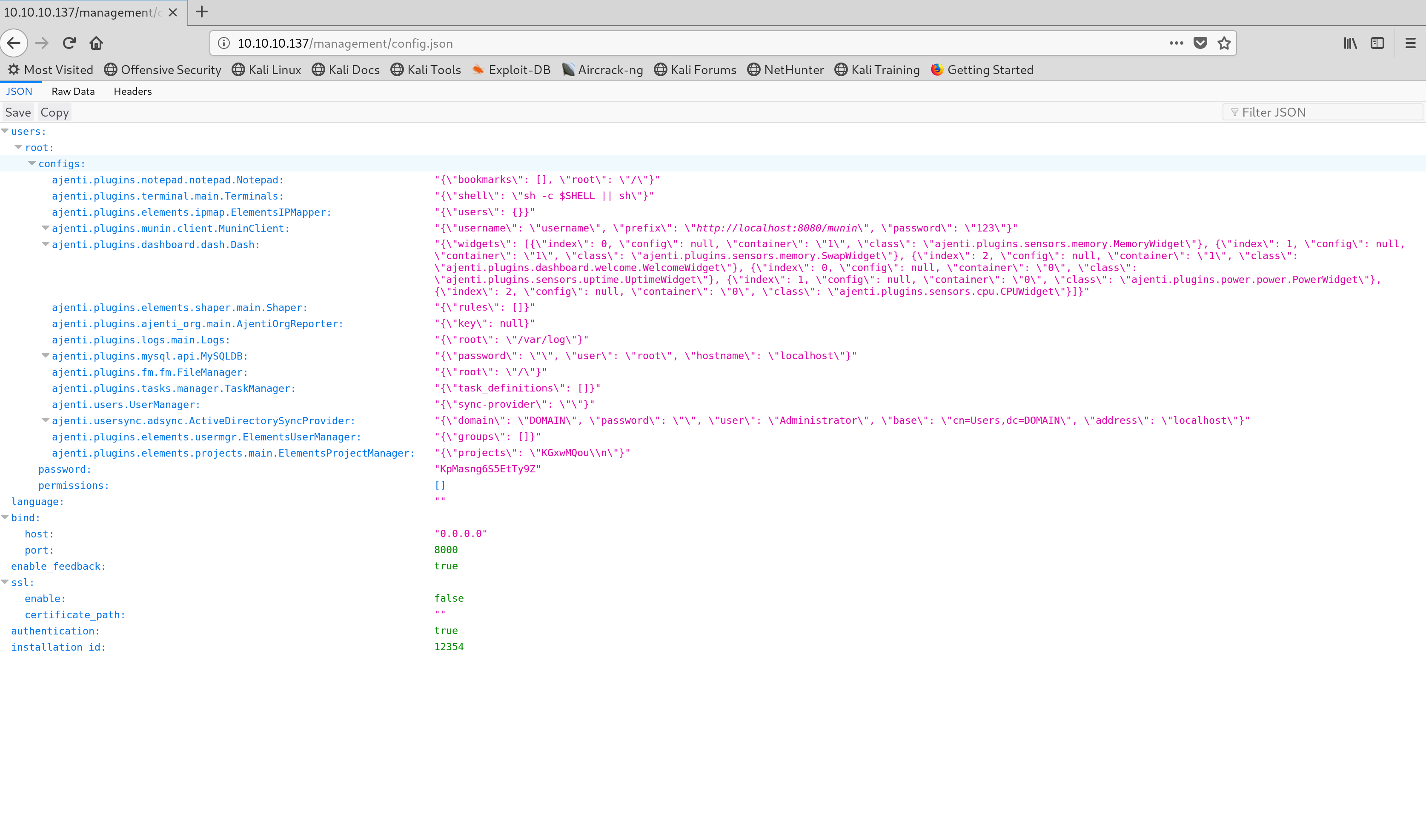 Contents of the config.json file
I visited the Ajenti service (http://10.10.10.137:8000) and managed to login using root and the password found in the config.json file which was KpMasng6S5EtTy9Z
06. Shell
After signing into Ajenti using the credentials found in the config.json file, I was presented with a dashboard. Within this I navigated to the tab called terminal and entered the following command into the input box:
I was then redirected to a shell page where I had root access to the server. I traversed each directory looking for root.txt which was found in /root/. Further analysis of the server indicated the file user.txt was located in the directory /home/derry/.
Captured Flags
8448343028fadde1e2a1b0a44d01e650
58d441e500e8941f9cf3baa499e2e4da